How to find your Salesforce Organization ID
A Salesforce.com ORG ID is a sequence of numbers and letters. This is what an ORG ID looks like. Example: 00A6A000002fFTL
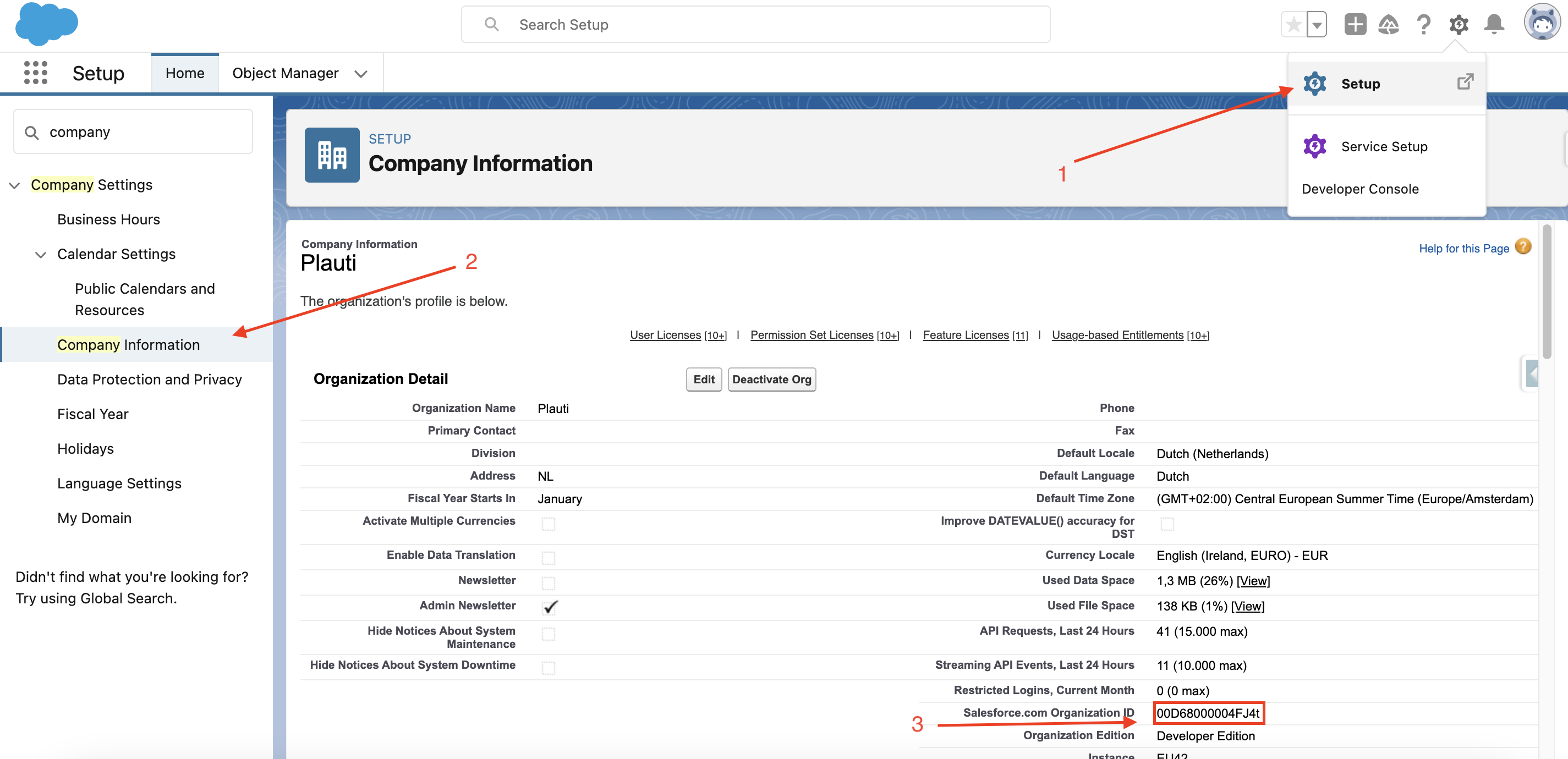
You can find your Salesforce Organization ID (also referred to as "ORG ID") in the Deduplicate Setup or Salesforce Setup.
Deduplicate Setup
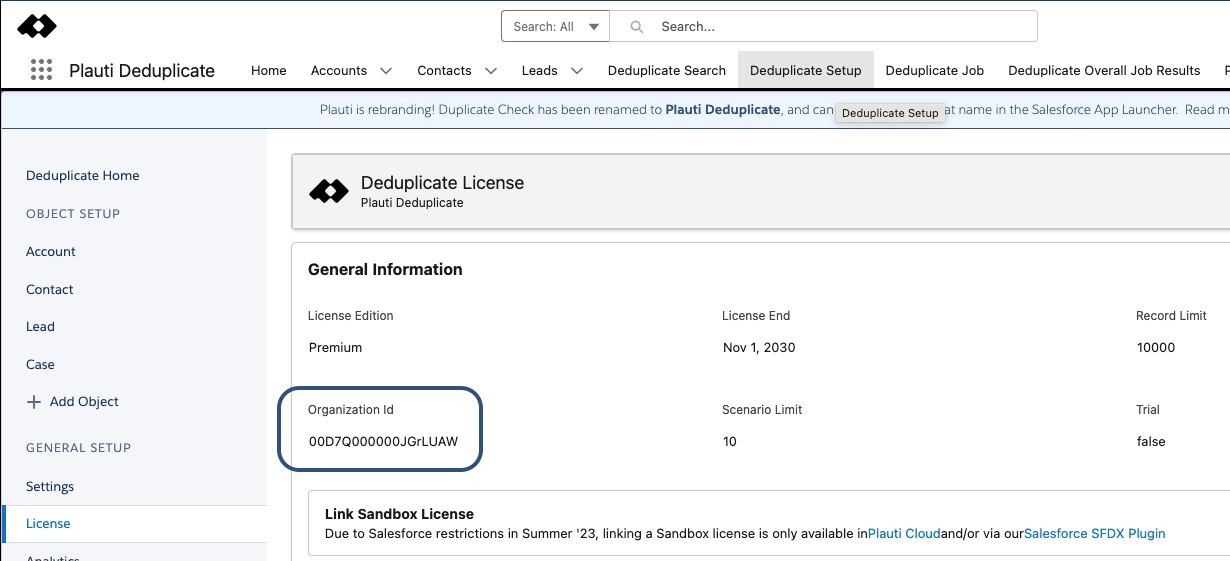
Go to the Deduplicate Setup page.
At 'General Setup', click License.
Find your Organization ID at Organization ID.
Salesforce Lightning Setup
Go to the Salesforce Setup page.
At left, go to Company Settings > Company Information.
Find your Organization ID at Salesforce.com Organization ID.