

Upgrading to Version 10 of SuperRoundRobin
Version 10 of SuperRoundRobin brings the SLA as the main new piece of functionality. This is the ability to configure a Service Level Agreement mechanism that will hold your reps more accountable.
Installing Version 10
Assuming you are an existing user of SuperRoundRobin...
Go to the SuperRoundRobin AppExchange Page and hit the Get It Now button.
If you are not yet on Version 9, you must follow the post-upgrade instructions for each major upgrade.
Follow the AppExchange install instructions.
Then when install has completed, follow these instructions to make the post-upgrade changes:
Purge Cache
Go to the Setup and Status tab, scroll down and click the red Purge Cache button. This ensures that any old version cobwebs are swept away.
Layout Changes
When packages are upgraded, existing layouts on your org cannot be changed by us, so you have to add new fields and related lists manually. Let's go through them step by step:
MatchGroup Layout Changes 1
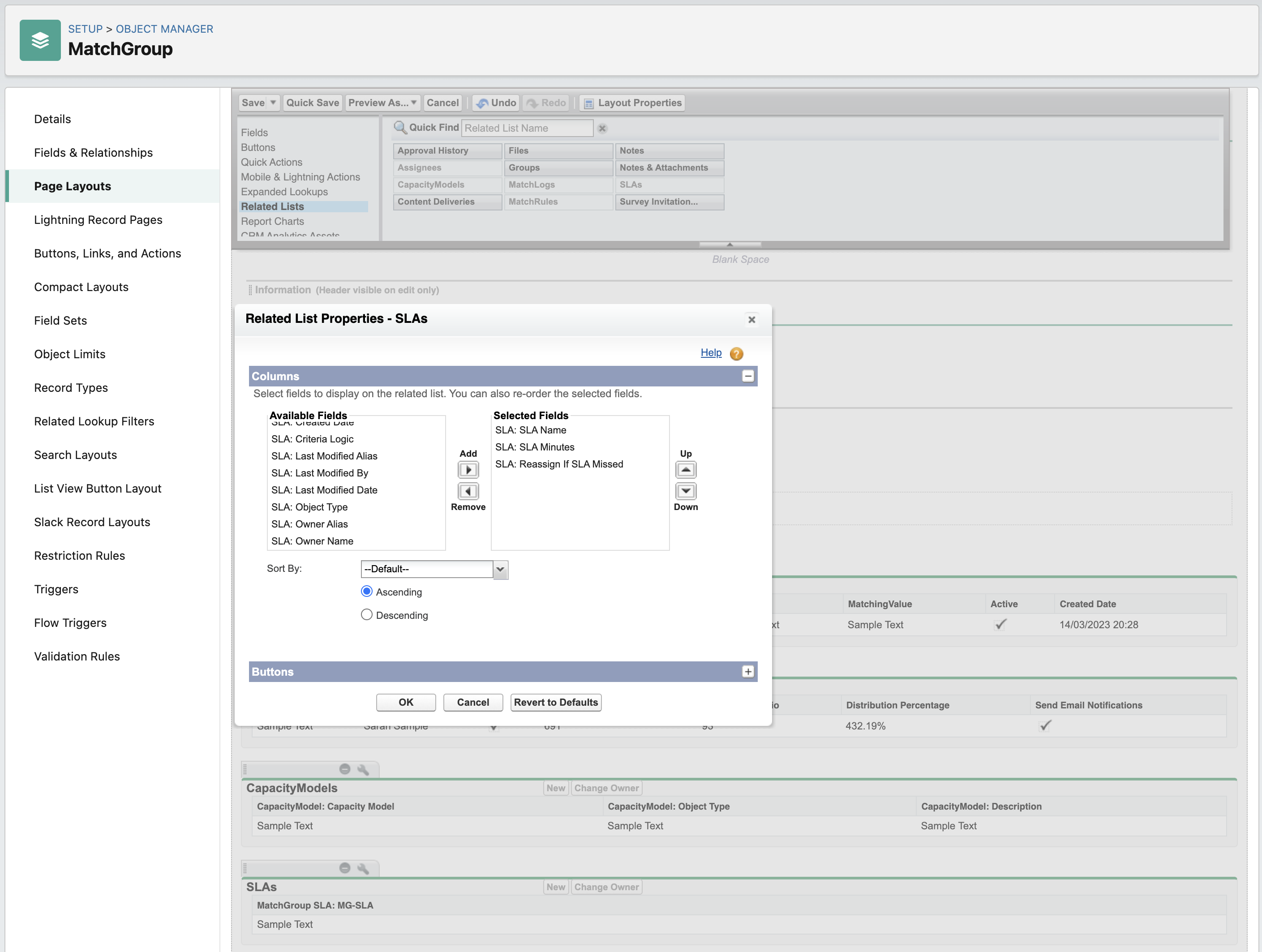
Go to Setup > Object Manager > MatchGroup > Page Layouts
Select the MatchGroup Layout
Select the Related Lists menu item
Drag the SLAs related list down to the layout, beneath the Capacity Models related list
Click the spanner icon in the SLAs related list
Add the fields SLA: SLA Name and SLA: SLA Minutes and SLA: Reassign If SLA Missed
Remove the field MatchGroup SLA: MG-SLA
Save
MatchGroup Layout Changes 2
Whilst still on the MatchGroup Layout...
Click the spanner icon on the MatchLogs related list
Add the SLA Status field
Click OK and save the layout
MatchLog Layout Changes 1
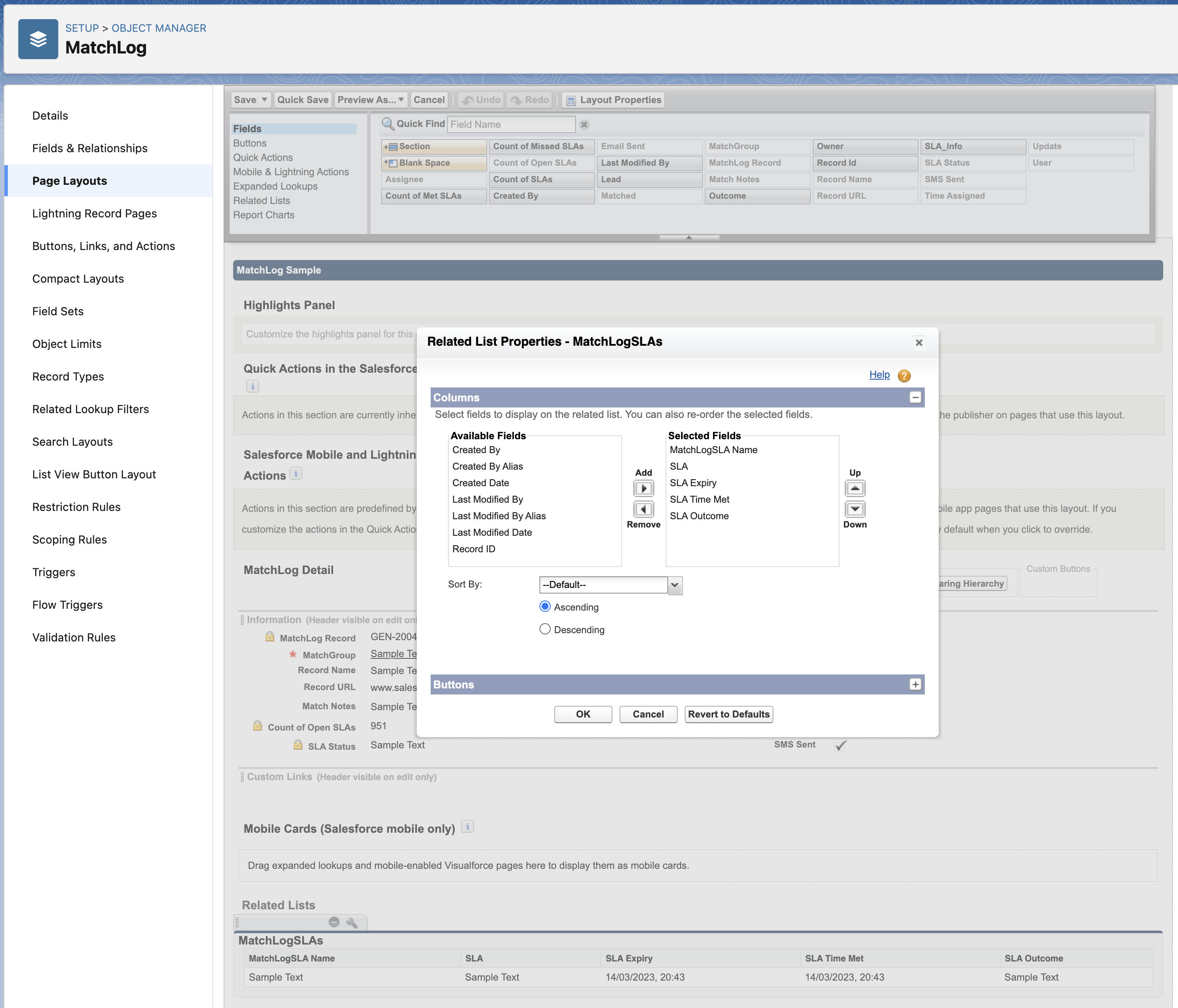
Go to Setup > Object Manager > MatchLog > Page Layouts
Select the MatchLog Layout
Select the Related Lists menu item
Drag the MatchLogSLAs into the Related Lists section
Click the spanner icon on the MatchLogSLAs related list
Add the SLA, SLA Expiry, SLA Outcome and SLA Time Met fields
Click OK and save the page layout
MatchLog Layout Changes 2
Now select the Fields item in the top page layout menu
Drag the SLA Status field down into the MatchLog Detail section
Save the page layout
These are all the post-update changes you need to make when you go to Version 10 (from 8 or 9). Any questions? Please contact support@plauti.com.