

Update Plauti Desktop on Windows
This article is for updating Plauti Desktop on Windows.
For MacOS, see Update Plauti Desktop on MacOS.
Major new versions of Plauti Desktop need to be installed manually; minor new versions or patches are installed automatically. In the case of the latter, the changes take effect the next time you close and then start the app again.
Checking the current version
Open Plauti Desktop.
At the Dashboard page, scroll down to “Plauti B.V. User Information”
Click User Information.
The User Information pop-up opens. The current version is listed under Version.
If the listed version is lower than you'd expect, close Plauti Desktop and open it again. Automatic updates are done in two steps: the first time Plauti Desktop is opened a new version is downloaded; upon closing and opening the app again, the downloaded version is installed.
Manually updating Plauti Desktop
When a new major version of Plauti Desktop is available, you will see a notification for this when you open Plauti Desktop. You need to install the new version before you can proceed to run jobs in Plauti Desktop again.
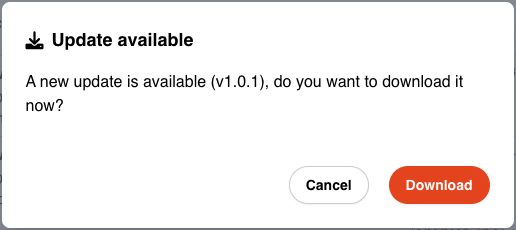
To update Plauti Desktop on Windows:
When you get the message about a new version in Plauti Desktop, click Download
 .
.The new version will be downloaded.
When prompted, click Install
 .
.The Plauti Desktop Setup window opens.
In the ‘Choose Installation Options’ window, keep the selection at Only for me.
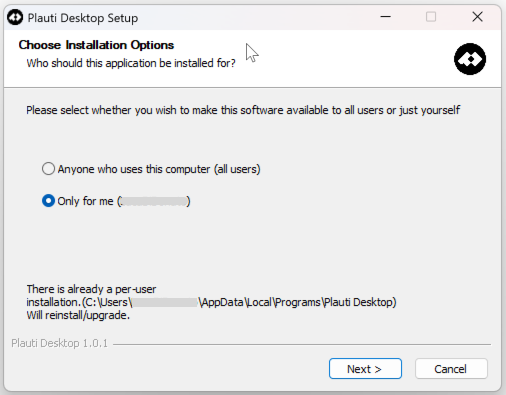
Click Next > .
Wait while Plauti Desktop is being updated.
When the update is complete, click Finish.
You can now open Plauti Desktop and log in as usual.