
Can't find flow for Run a Flow
Last updated
Question:
When I create a Run a Flow action, it says 'No flows available' at Select Flow, even though I have a number of flows in my Org.
The flow I want to use in the Run a Flow action does not show up in the Select Flow select list.
Answer:
Not all flows can be used in the Run a Flow action. Make sure that your flow is:
Active. If you added a variable for example, you need to save the flow as a new version, and reactivate it as well.
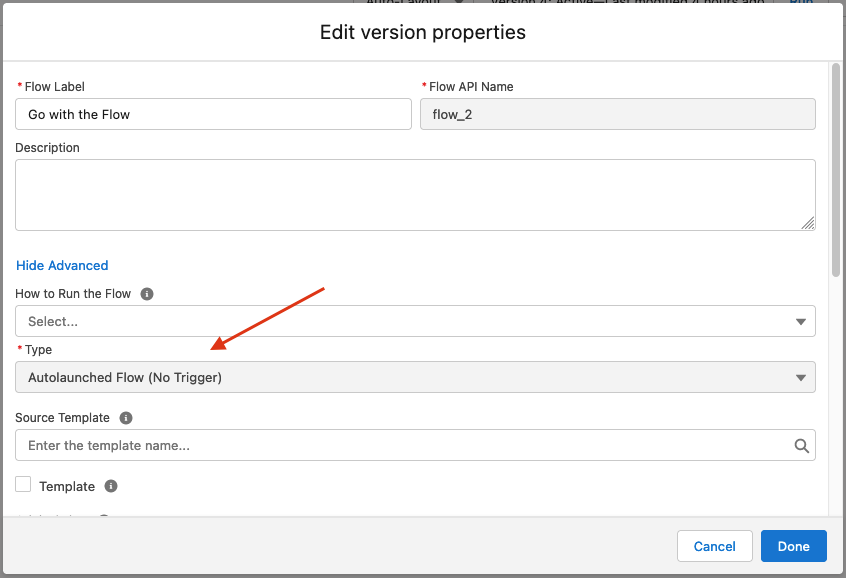
Created as Autolaunched Flow (No Trigger). Several flow types are autolaunched, but only flows that were created as Autolaunched Flow (No Trigger) can be used in the Run a Flow action.
Note that the Flows overview in Salesforce groups all different autolaunched flow types together in the Process Type column.
To find out whether a flow is of the correct type:
Open the flow from the Flows overview in Salesforce Setup.
At top left, click the View Properties
 button.
In the Edit Version Properties pop-up, click Show Advanced.
At Type, it should say Autolaunched Flow (No Trigger).